
AudioLab Audio Cutter & Editor
Contains adsIn-app purchases

star
336K reviews

PEGI 3
info
10M+
Downloads
Enjoy this app, plus many more free of ads and in-app purchases, with a Google Play Pass subscription. Terms apply. Learn more

PEGI 3
Learn more


About this app
AudioLab - The Only Audio Editor App You Will Ever Need
Edit, Record, and Create Audio - All in One App
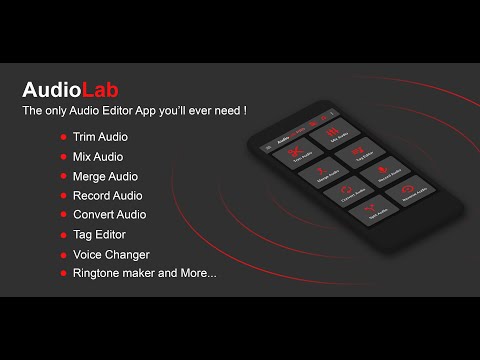
AudioLab is a powerful audio editor and voice recorder designed for anyone who wants to edit audio, record voice, cut MP3s, or create custom ringtones on Android. Whether you’re editing music, recording voice notes, making podcasts, or creating ringtones, AudioLab provides professional audio tools in a simple, easy-to-use app.
From quick trimming to advanced editing and conversion, AudioLab helps you turn raw sound into polished audio in just a few taps.
🎧 Audio Editor & MP3 Cutter
Edit audio files precisely using a clean and intuitive audio editor.
● Cut, trim, split, and merge audio tracks
● MP3 cutter for songs, voice clips, and music files
● Trim audio accurately and save the best parts
● Merge multiple audio files into one
● Edit music tracks without losing quality
Try AudioLab now and create your perfect sound!
🎙️ Voice Recorder & Audio Recorder
Capture clear, high-quality sound with the built-in voice recorder and audio recorder.
● Record voice, music, podcasts, and meetings
● Adjust volume and improve clarity
● Save recordings instantly and edit them later
Ideal for students, content creators, and everyday voice recording needs.
🔄 Audio Converter & MP3 Converter
Convert audio files quickly and easily with AudioLab’s audio converter.
● Convert between MP3, WAV, AAC, FLAC, M4A, and more
● Compress audio files for easier sharing
● Convert video to audio and extract sound from videos
A simple solution for managing multiple audio formats on your phone.
🎶 Music Maker, Song Maker & Beat Tools
Create and experiment with sound using AudioLab’s creative tools.
● Mix multiple audio tracks
● Adjust speed, pitch, and tempo
● Create songs, remixes, and basic beats
● Enhance audio with an equalizer and sound effects
AudioLab works as a lightweight music maker and song maker for quick ideas and edits.
🔔 Ringtone Maker & Audio Customization
Turn any audio file into a custom ringtone or notification sound.
● Create ringtones from songs or recordings
● Set audio as a ringtone, alarm, or notification
● Edit the ringtone length and volume easily
Personalize your phone with sounds that match your style.
Why Choose AudioLab?
● All-in-one audio editor, recorder, and converter
● Clean interface and easy to use
● Powerful tools for advanced users
● Free to use with no complex setup
AudioLab combines all essential audio tools into one app, saving you time, storage, and effort.
Download AudioLab today and master your sound!
AudioLab - Audio Editor Recorder & Ringtone Maker uses FFmpeg under LGPL
Download AudioLab - Audio Editor Recorder & Ringtone Maker today & transform the way you edit music, record & create ringtones
Edit, Record, and Create Audio - All in One App
AudioLab is a powerful audio editor and voice recorder designed for anyone who wants to edit audio, record voice, cut MP3s, or create custom ringtones on Android. Whether you’re editing music, recording voice notes, making podcasts, or creating ringtones, AudioLab provides professional audio tools in a simple, easy-to-use app.
From quick trimming to advanced editing and conversion, AudioLab helps you turn raw sound into polished audio in just a few taps.
🎧 Audio Editor & MP3 Cutter
Edit audio files precisely using a clean and intuitive audio editor.
● Cut, trim, split, and merge audio tracks
● MP3 cutter for songs, voice clips, and music files
● Trim audio accurately and save the best parts
● Merge multiple audio files into one
● Edit music tracks without losing quality
Try AudioLab now and create your perfect sound!
🎙️ Voice Recorder & Audio Recorder
Capture clear, high-quality sound with the built-in voice recorder and audio recorder.
● Record voice, music, podcasts, and meetings
● Adjust volume and improve clarity
● Save recordings instantly and edit them later
Ideal for students, content creators, and everyday voice recording needs.
🔄 Audio Converter & MP3 Converter
Convert audio files quickly and easily with AudioLab’s audio converter.
● Convert between MP3, WAV, AAC, FLAC, M4A, and more
● Compress audio files for easier sharing
● Convert video to audio and extract sound from videos
A simple solution for managing multiple audio formats on your phone.
🎶 Music Maker, Song Maker & Beat Tools
Create and experiment with sound using AudioLab’s creative tools.
● Mix multiple audio tracks
● Adjust speed, pitch, and tempo
● Create songs, remixes, and basic beats
● Enhance audio with an equalizer and sound effects
AudioLab works as a lightweight music maker and song maker for quick ideas and edits.
🔔 Ringtone Maker & Audio Customization
Turn any audio file into a custom ringtone or notification sound.
● Create ringtones from songs or recordings
● Set audio as a ringtone, alarm, or notification
● Edit the ringtone length and volume easily
Personalize your phone with sounds that match your style.
Why Choose AudioLab?
● All-in-one audio editor, recorder, and converter
● Clean interface and easy to use
● Powerful tools for advanced users
● Free to use with no complex setup
AudioLab combines all essential audio tools into one app, saving you time, storage, and effort.
Download AudioLab today and master your sound!
AudioLab - Audio Editor Recorder & Ringtone Maker uses FFmpeg under LGPL
Download AudioLab - Audio Editor Recorder & Ringtone Maker today & transform the way you edit music, record & create ringtones
Trim audio, record voice, cut MP3, create ringtones, mix songs - all in one app.
Updated on
Events & offers


Featured stories

Safety starts with understanding how developers collect and share your data. Data privacy and security practices may vary based on your use, region, and age. The developer provided this information and may update it over time.


Ratings and reviews
324K reviews

Jan Rymarz
- Flag inappropriate
February 13, 2024
I've just used Audio Editor for the first time. I needed to simply trim an audio clip to create a notification sound. I'm no expert, but it took me 5 minutes from download to edit to save the file. Just 5 minutes! I could not be happier and highly recommend this app. I'm highly likely to look into all the other options provided by this app. Top top top!!
67 people found this review helpful
HitroLab - Mp3 Audio Editor and Ringtone Maker Dev
April 10, 2024
We are pleased that you enjoyed the app.
If there is anything we can do for you, just let us know at support@hitrolab.com! Have a wonderful day!

Jìmí Bẹ́gbàájí
- Flag inappropriate
August 14, 2021
I love this tool. It made it easy for me to select the parts of a phone call that I wanted to save then share. Delete. Undelete if I misjudged. Name it. A prompt to let me know where to find the output. And a search function to locate without endless scrolling. I can save as a ringtone or an alarm. Now I can create a nice clip of positive affirmations to wake up to. 🤜🏾🤛🏾 All w/out ads bombardment Other editors, to put it bluntly, simply don't. This shall be my go to editor. Well done!
382 people found this review helpful
HitroLab - Mp3 Audio Editor and Ringtone Maker Dev
September 11, 2021
We are pleased that you enjoyed the app.
If there is anything we can do for you, just let us know at support@hitrolab.com! Have a wonderful day!

Mand
- Flag inappropriate
- Show review history
April 13, 2022
[PS. My reply's on its way!] Dropped not one but TWO STARS because it's been made impossible to change your data sharing permissions. Either you give them the rights to everything, or you can't use this app. I used to use this a lot; just came back after quite a long interval, so I can't say which update introduced this, but it's unacceptable. Worse, it's done in an underhand way - the option is there in the menu (and on opening the app) but allows no choices except Agree. Sneaky. Despicable.
139 people found this review helpful
HitroLab - Mp3 Audio Editor and Ringtone Maker Dev
April 13, 2022
We understand how annoying that must be. Can you please provide a screenshot as we do not have control over that. Our Ads partner shows data sharing dialogue (We recently changed to a new partner). We will notify them if any issue is found in that.
If you have any concerns contact us at support@hitrolab.com
What’s new
AudioLab now targets Android 16 (API 36)
New Features added:-
- Audio transcription added
- Audio clone added
- Video to Audio multiple audio extraction
- Video stabilisation added
- AI features Vocal remover, multi stem separation, noise, echo, reverb removal, key bpm finder
- Audio copy tools in the audio trim improved
- Mix added in AI stem separation
Improvement:-
- Lots of bug fixes and performance improvements
- Lots of UI improvements
- Landscape UI is optimised
New Features added:-
- Audio transcription added
- Audio clone added
- Video to Audio multiple audio extraction
- Video stabilisation added
- AI features Vocal remover, multi stem separation, noise, echo, reverb removal, key bpm finder
- Audio copy tools in the audio trim improved
- Mix added in AI stem separation
Improvement:-
- Lots of bug fixes and performance improvements
- Lots of UI improvements
- Landscape UI is optimised
PEGI 3
Learn moreApp support
About the developer
Kumar Rohit
support@hitrolab.com
H.No. 417, Ward No. 9, Kamasi, Near Shyama Sarowar Park
Sheikhpura, Bihar 811105
India


