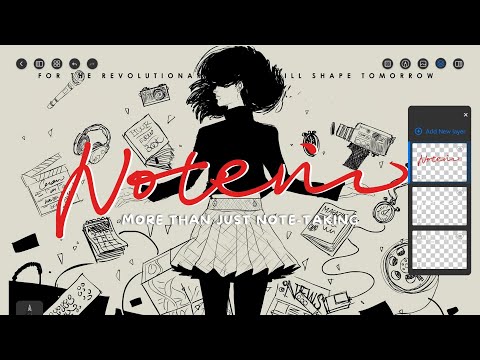

Notein:Handwriting Notes & PDF
In-app purchases

star
45.5K reviews

PEGI 3
info
1M+
Downloads


About this app
Unleash a new era of note-taking — crafted for Android tablets and stylus users. Whether you’re a student, educator, designer, or professional, this app blends the freedom of handwriting with powerful tools for organizing, annotating, and syncing your ideas.
🖊️ Natural and Precise Handwriting
Experience ultra-low latency handwriting with pressure-sensitive brushes that respond just like pen on paper. Perfect for sketching, note-taking, or creating mind maps. Thousands of users call it one of the best handwriting experiences on Android.
🧠 Organize Your Thoughts, Your Way
Custom Canvas Options: Choose classic paper sizes or expand ideas freely on an infinite canvas — great for brainstorming and visual thinking.
Interactive Linking: Add clickable links between pages to build study guides, planners, or a personal knowledge base.
Notebook System: Create, sort, and search notebooks for fast access to all your materials.
📄 Import & Annotate Documents
Import and mark up documents in common formats — such as PDFs, images, Word or PowerPoint files. Highlight key points, add comments, draw diagrams, and even merge or split files for custom workflows.
🎨 Layer Support & Creative Tools
Use layers to separate handwriting, shapes, and highlights. Redesign without erasing. Create cleaner, more flexible content with ruler-guided pens and shape tools — ideal for diagrams, architecture, and study illustrations.
🔊 Audio Recording + Note Sync
Record meetings or lectures while taking notes
Tap handwriting to jump to specific moments in the recording
Playback tools let you adjust speed, skip silence, or loop key sections for study and review
🤖 AI-Powered Features (available in select regions)
Summarize Notes: Let AI extract the main ideas from your writing
Auto Outlines: Turn notes into structured outlines instantly
OCR + Translation: Convert handwriting or images into editable text, with built-in language translation
🎨 A Workspace That’s Yours
Personalize your workspace with custom paper templates, fonts, colors, grids, and stickers. Designed for those who value flexibility and expression.
📐 Precision Graphics Tools
Draw diagrams and illustrations with ruler-guided pens and shape tools — ideal for students, architects, or designers.
☁️ Cloud Sync
Sync your notes across devices using Google Drive or OneDrive. Your notebooks are always backed up and accessible — anytime, anywhere.
🚀 Don’t just take notes. Create, explore, and think freely with powerful tools designed for your Android tablet and stylus.
Download today and bring your ideas to life.
🖊️ Natural and Precise Handwriting
Experience ultra-low latency handwriting with pressure-sensitive brushes that respond just like pen on paper. Perfect for sketching, note-taking, or creating mind maps. Thousands of users call it one of the best handwriting experiences on Android.
🧠 Organize Your Thoughts, Your Way
Custom Canvas Options: Choose classic paper sizes or expand ideas freely on an infinite canvas — great for brainstorming and visual thinking.
Interactive Linking: Add clickable links between pages to build study guides, planners, or a personal knowledge base.
Notebook System: Create, sort, and search notebooks for fast access to all your materials.
📄 Import & Annotate Documents
Import and mark up documents in common formats — such as PDFs, images, Word or PowerPoint files. Highlight key points, add comments, draw diagrams, and even merge or split files for custom workflows.
🎨 Layer Support & Creative Tools
Use layers to separate handwriting, shapes, and highlights. Redesign without erasing. Create cleaner, more flexible content with ruler-guided pens and shape tools — ideal for diagrams, architecture, and study illustrations.
🔊 Audio Recording + Note Sync
Record meetings or lectures while taking notes
Tap handwriting to jump to specific moments in the recording
Playback tools let you adjust speed, skip silence, or loop key sections for study and review
🤖 AI-Powered Features (available in select regions)
Summarize Notes: Let AI extract the main ideas from your writing
Auto Outlines: Turn notes into structured outlines instantly
OCR + Translation: Convert handwriting or images into editable text, with built-in language translation
🎨 A Workspace That’s Yours
Personalize your workspace with custom paper templates, fonts, colors, grids, and stickers. Designed for those who value flexibility and expression.
📐 Precision Graphics Tools
Draw diagrams and illustrations with ruler-guided pens and shape tools — ideal for students, architects, or designers.
☁️ Cloud Sync
Sync your notes across devices using Google Drive or OneDrive. Your notebooks are always backed up and accessible — anytime, anywhere.
🚀 Don’t just take notes. Create, explore, and think freely with powerful tools designed for your Android tablet and stylus.
Download today and bring your ideas to life.
Handwrite notes, annotate PDFs, record audio, and think freely on Android.
Updated on
Featured stories

Safety starts with understanding how developers collect and share your data. Data privacy and security practices may vary based on your use, region and age. The developer provided this information and may update it over time.
- No data shared with third partiesLearn more about how developers declare sharing
- This app may collect these data typesLocation, Personal info and 5 others
- Data is encrypted in transit
- You can request that data be deleted


Ratings and reviews
13K reviews

청색편이
- Flag inappropriate
25 May 2026
the best thing about this app is that it is cheap, but its services are as good as expensive ones. On the other hand, the size of the files expeted is a way too big. it is nearly impossible to open them with other tools like google drive. better flattening service should be updated. Also, the pensil doesn't really looks like the real pencil. the first version of it was better.
8 people found this review helpful

Maria Mai
- Flag inappropriate
25 November 2024
Purchased the full version a while back since I really love this app for note taking. I'm very picky with how the pen feels when writing, and I found this one had the perfect pen settings for me. The only thing I feel is missing is audio recording, it would be super useful during lectures for me. Even better if it was similar to Samsung notes where the text you write when that particular part of the audio is being recorded is highlighted, but any audio recording option at all would be nice.
20 people found this review helpful

Imran Ahmed
- Flag inappropriate
16 December 2025
overall an amazing note taking app. one thing gbi would love is the ability to easily stay sin, cosine, x² and x³ shapes, or the ability for the auto shape recognition to recognise these shapes. also, asentiones by someone else- the ability to delete part of a generated shape. currently of you create a shape ( say a circle), and you wish to delete part of it then the whole shape gets deleted. If you create graph axis, and dray a line on it, if you delete the line then the graph axis also goes.
11 people found this review helpful
What's new
The text box font library has been updated: 10 new fonts have been added, and some older fonts are no longer included.
App support
About the developer
ORION STUDIO PTE. LTD.
support@notein.cn
60 PAYA LEBAR ROAD
#08-11 PAYA LEBAR SQUARE
Singapore 409051
+65 9860 0241


